AI at your side during
internal audit interviews.
Prepare what to ask from your documents, get draft findings with their evidence from the interview record, and output the report in your own company format. It helps less-experienced auditors deliver audits of consistent quality.
Runs in a PC browser. During interviews, use it on a tablet or smartphone too.
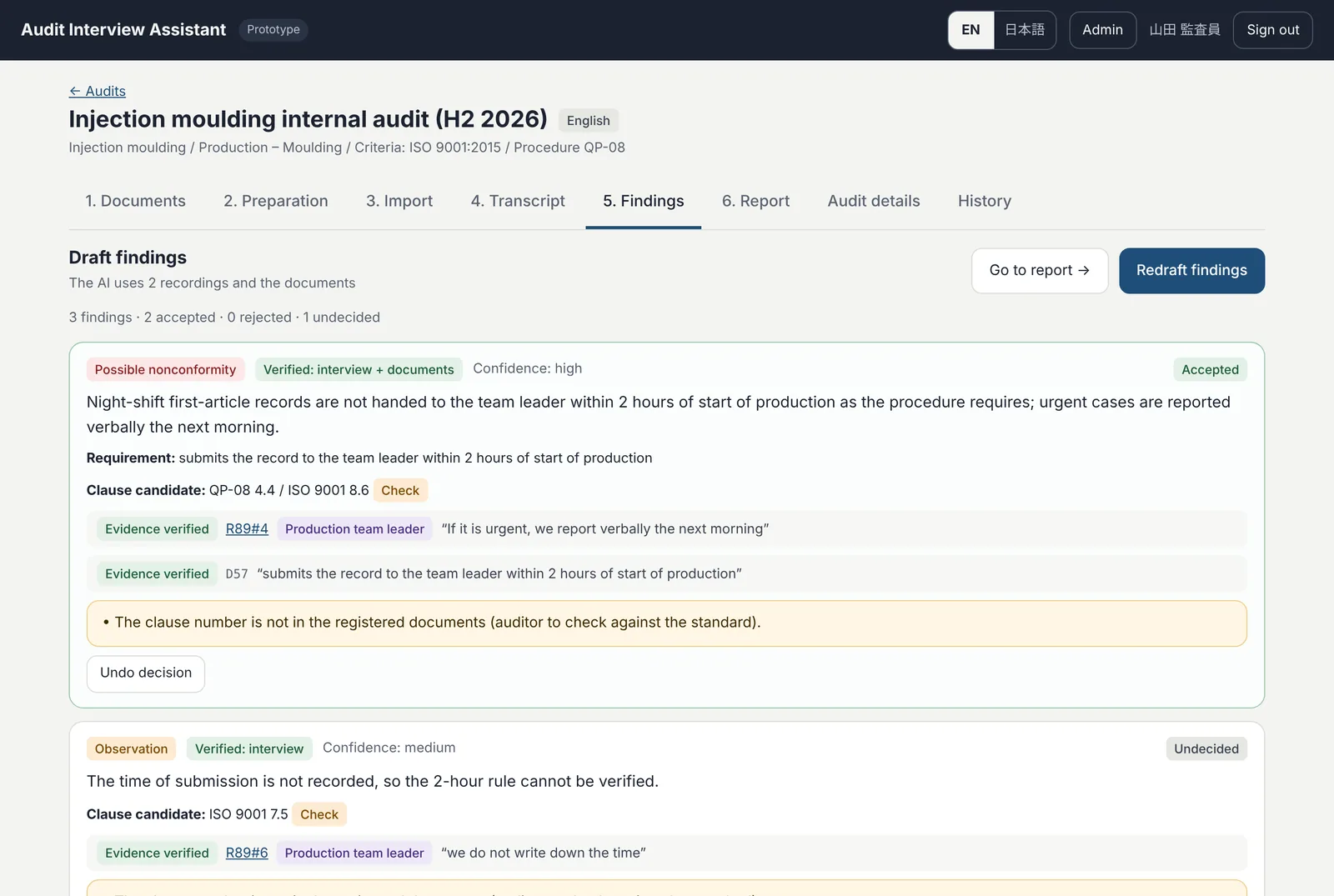
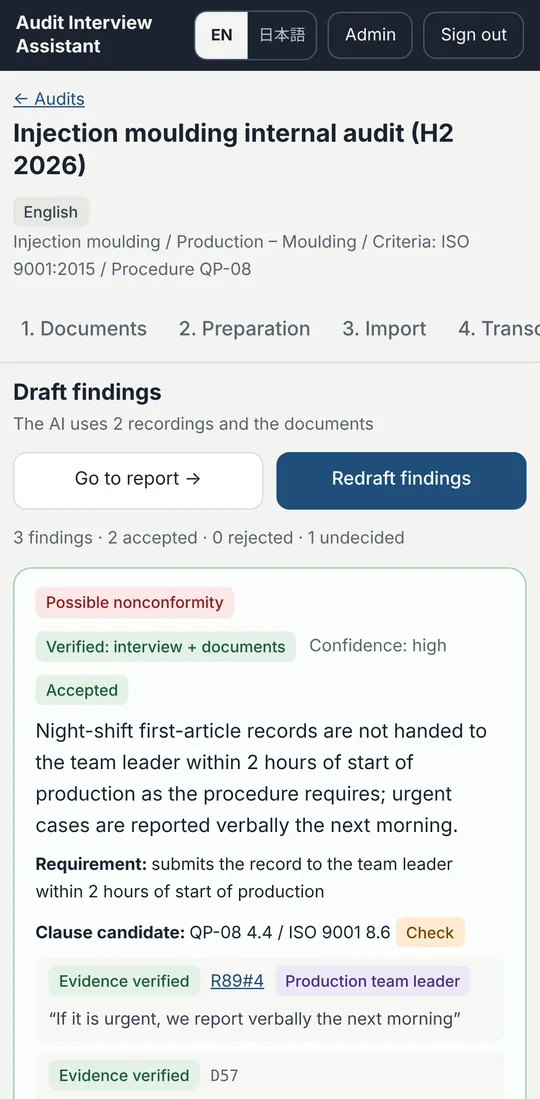
Common problems in internal audits
Internal auditors often have another full-time job, and their experience varies. The AI supports the parts where audit quality depends too much on the individual.
Not sure what to ask
Even after reading the procedures and checklists, it is hard to decide where to focus in the limited time.
Organising notes takes hours
During the interview you are busy taking notes. Afterwards, piecing everything together from memory takes hours.
Evidence and reports are a burden
Which statement or record is a finding based on? And copying everything into the report form is tedious.
Six steps from preparation to report
Follow the numbered tabs and every audit follows the same flow. Everything the AI produces is a draft — the auditor decides what to accept.
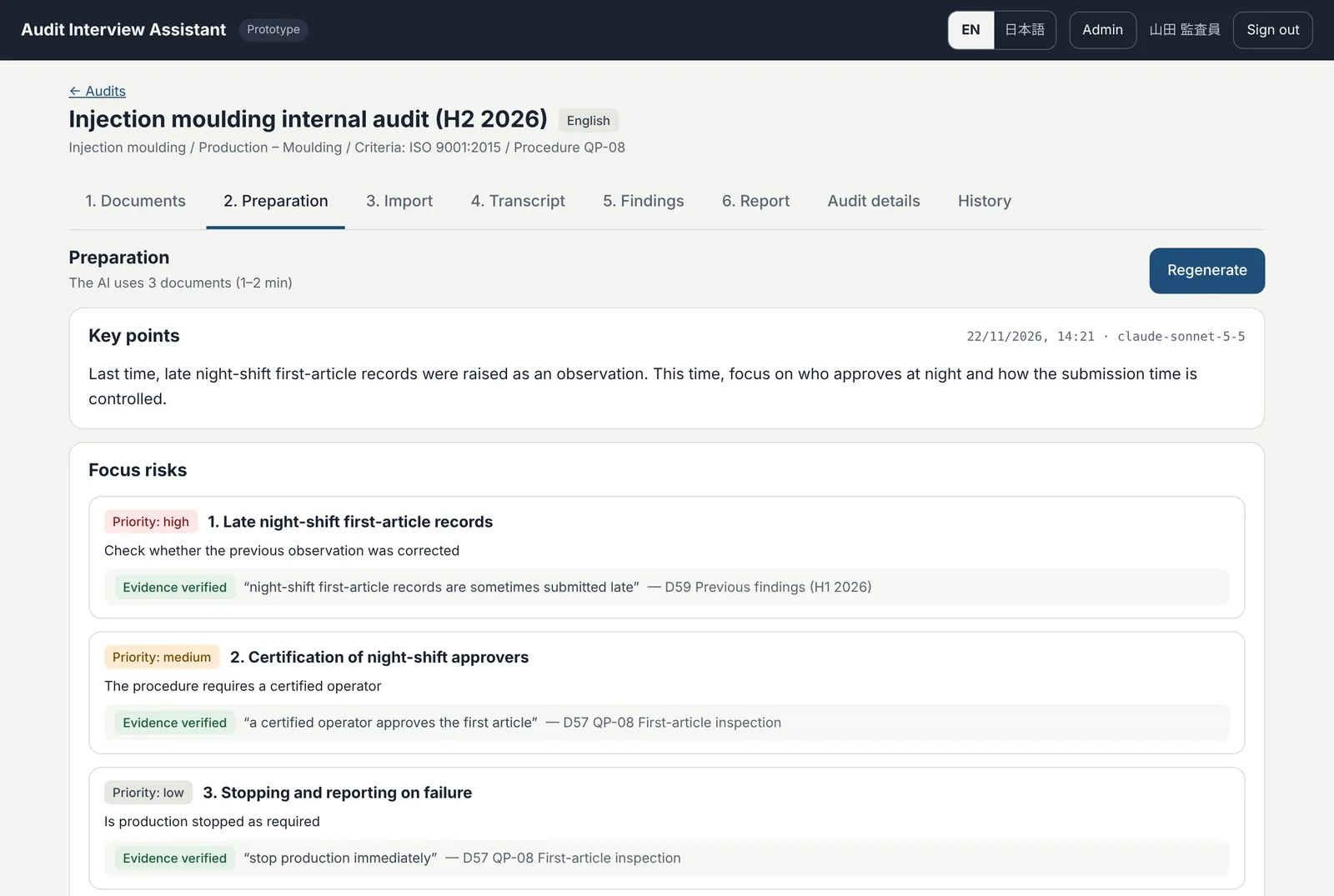
Decide where to focus — from your own documents
Based on the procedures, checklists and previous findings you register, the AI suggests the focus risks for this audit and a question flow, including what to ask next depending on the answer.
- Each focus risk shows the document sentence it comes from
- Records to ask to see are suggested too
- Keep it open on a tablet or smartphone during the interview
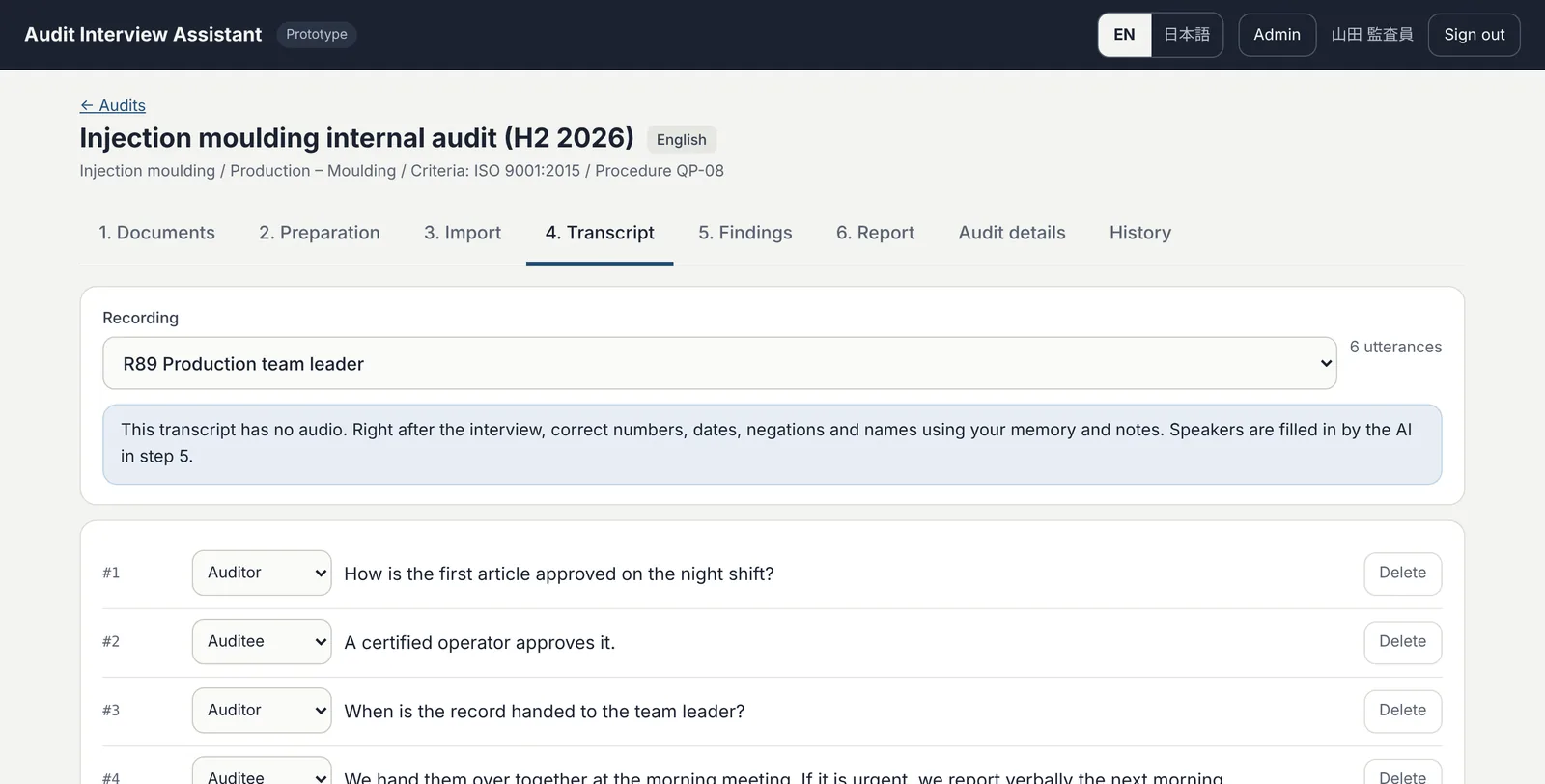
Use the interview record as it is
Import the transcript from a smartphone transcription app for face-to-face interviews, or from Teams for remote ones. You can also record audio and transcribe it.
- Speakers (auditor / auditee) are organised for you
- Fix mishearings on the spot and leave out irrelevant remarks
- Interviews with several departments or groups can be handled together
Draft findings — side by side with their evidence
From the record and the documents, the app drafts findings: possible nonconformities, observations, good practices and more. Each one is shown with the utterance and document sentence it is based on.
- If the evidence cannot be found in the record, the app says so clearly
- The auditor accepts, edits or rejects each draft
- Follow-up questions are suggested as well
A report in your own format — from accepted findings only
The report is built from the findings and follow-up questions accepted in step 5. The auditor adds the overall conclusion, then outputs Word, Excel or PDF.
- Register your own report form (Word or Excel) and output in that form
- Changed a finding later? Press “Update”; the revision history is kept
- Reports in English or Japanese
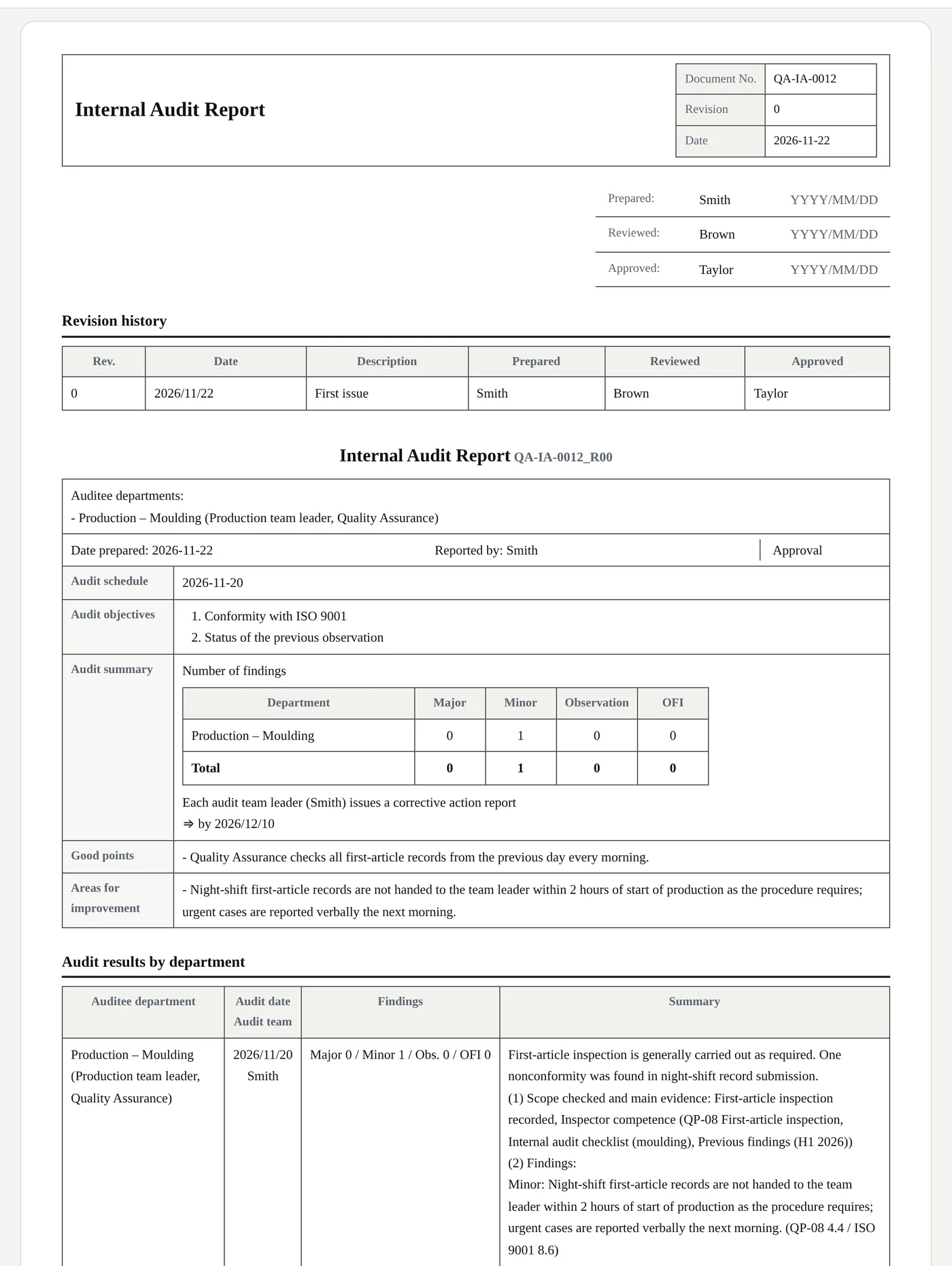
All content on the screens is fictitious demo data.
Built to be used on the shop floor
The auditor decides
All AI output is a draft. Every accept, reject and edit is recorded, and only what the auditor accepts goes into the report.
Evidence you can see
Findings and focus risks show the utterance or document sentence they come from. Anything that cannot be verified is marked as such.
Your own report format
Register the report form you use today (Word or Excel) and reports are output in exactly that form.
English and Japanese
Screens and reports in both languages — for audits at overseas sites or reporting in English.
PC, tablet, smartphone
A web app with nothing to install. Prepare and report on a PC; check on a tablet or phone during the interview.
Separated by company
Audit data, users and report formats are kept separate for each company and are never visible to others. Administrators add users.
How data is handled
- Runs on servers in Japan.
- Audio recordings are deleted automatically a set number of days after transcription (you can also work without recording).
- AI processing uses an external AI service (API) under terms where the data sent is not used to train the AI.
- An activity history is kept: who accepted what, and when.
What you need
- PC: a browser such as Chrome or Edge (nothing to install)
- Tablet or smartphone: for checking during interviews and for face-to-face transcription
- Remote audits: works alongside Teams and Google Meet
- Scope: ISO 9001 internal audits (ask us about other standards)
Frequently asked questions
What are the terms and cost of the trial?
We are currently accepting enquiries from companies interested in a trial. We will explain the trial period and terms individually after you contact us.
Does the AI make audit decisions?
No. The AI produces suggested questions and draft findings. The auditor decides whether to accept each finding and how to word it. Only findings accepted by the auditor appear in the report.
Do I have to record the interview?
No. You can import the result of a smartphone transcription app or the Teams transcript instead.
Can reports be output in our own format?
Yes. Register the form you use today (Word or Excel) and reports are output in that form. We can help you register it during the trial.
Can it be used for standards other than ISO 9001?
It is currently designed for ISO 9001 internal audits. If you are considering ISO 14001 or another standard, please contact us.
Can it be used for audits in Japanese?
Yes. Choose English or Japanese for each audit; questions, findings and the report are produced in that language.
Request a trial / Contact us
We are looking for companies willing to try the app in conditions close to a real audit. We will review your request and reply by email.
- Online explanation and demo
- A trial account for your company
- Help registering your own report form